class 6 chapter 1
Computer Notes – Class 6
1. What is a Computer?
A computer is an electronic machine that accepts
data (input), processes it, and gives information (output).
It works very fast and accurately.
Example:
- Desktop
computer in a school lab
- Laptop
used by teachers
- Smartphone
used for communication
2. Types of Computers
1. Supercomputer


Definition:
A supercomputer is the fastest and most powerful type of computer used
for very complex calculations.
Used for:
- Weather
forecasting
- Space
research
- Scientific
research
Example:
- Fugaku
Supercomputer
Year: Around 2020
2. Mainframe Computer


Definition:
A mainframe computer is a large and powerful computer used by big
organizations to process large amounts of data.
Used for:
- Banks
- Railways
- Government
offices
Example:
- IBM
Z Mainframe
Year: Around 1960s
3. Minicomputer


Definition:
A minicomputer is smaller than a mainframe computer but more powerful
than a microcomputer.
Used for:
- Small
businesses
- Laboratories
Example:
- PDP-11
Year: 1970
4. Microcomputer


Definition:
A microcomputer is a small computer designed for personal use.
Used for:
- Schools
- Homes
- Offices
Example:
- Desktop
computer
- Laptop
Year: 1980 onwards
3. Processor Used in Computers
A processor (CPU – Central Processing Unit) is the brain
of the computer. It performs all calculations and controls the computer.
Common Processors:
- Intel
Processor – Used in many PCs and laptops
- AMD
Processor – Another popular processor for computers
- Apple
M-series Processor – Used in Apple Mac computers
Example:
- Intel
Core i5 processor in a laptop
Here are simple notes for Class 6 students on Programming Language, Generations of Languages, Compiler and Interpreter. You can also use these notes in your class or presentation.
Programming Language (Class 6 Notes)
1. What is a Programming Language?
A Programming Language is a special language used to give instructions to a computer so that it can perform tasks.
Just like we use English or Odia to talk to people, we use programming languages to talk to computers.
Examples of Programming Languages
C
C++
Java
Python
BASIC
Computers cannot understand human language directly. They only understand machine language (0 and 1), so programming languages help humans communicate with computers.
Generations of Programming Languages
1. First Generation Language (1GL) – Machine Language


The first programming language used in computers.
It uses binary numbers (0 and 1).
Very difficult for humans to understand.
Example
10110000 01100001
Advantages
Very fast execution.
Disadvantages
Very difficult to write and understand.
2. Second Generation Language (2GL) – Assembly Language
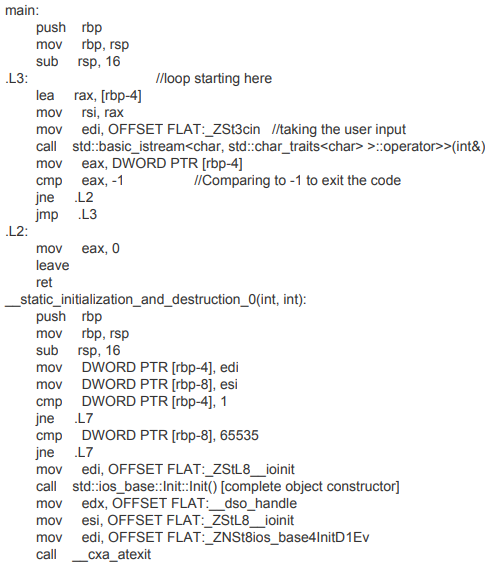
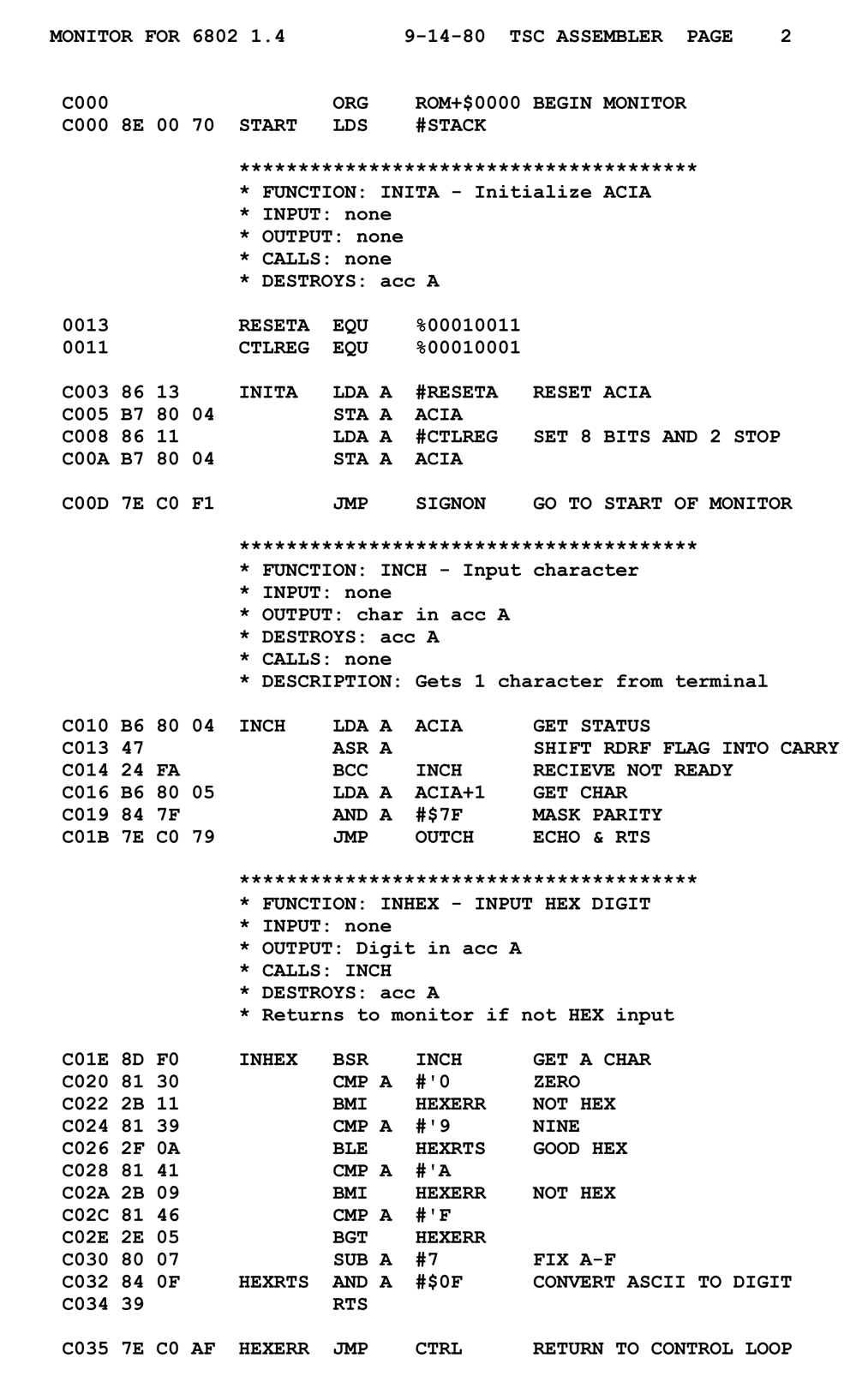


Uses short words called mnemonics instead of binary.
Easier than machine language.
Examples of Instructions
ADD
SUB
MOV
MUL
It needs a Translator called Assembler to convert it into machine language.
3. Third Generation Language (3GL) – High Level Language
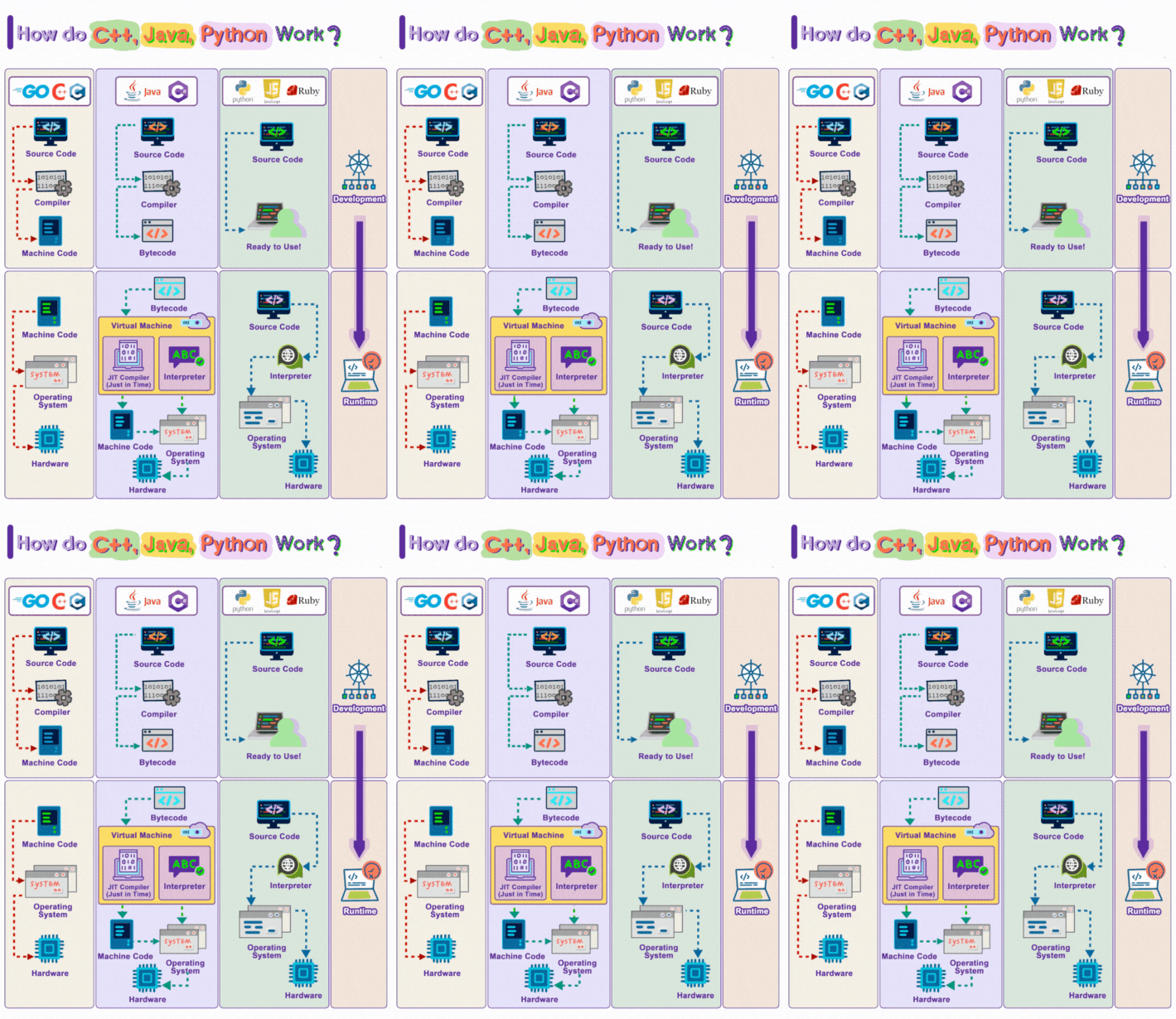
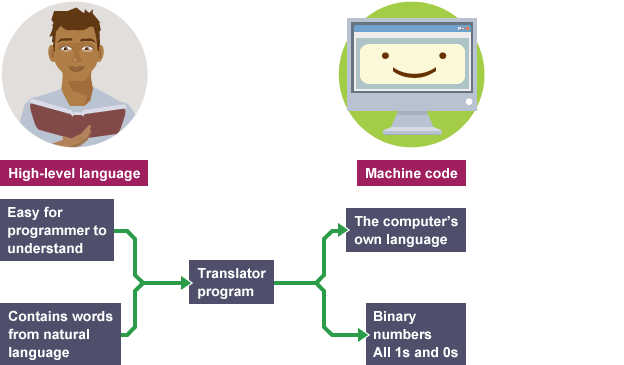

Easy for humans to read and write.
Uses English-like words.
Most programs today are written using high-level languages.
Examples
C
C++
Java
Python
BASIC
These languages need Compiler or Interpreter to convert into machine language.
Compiler

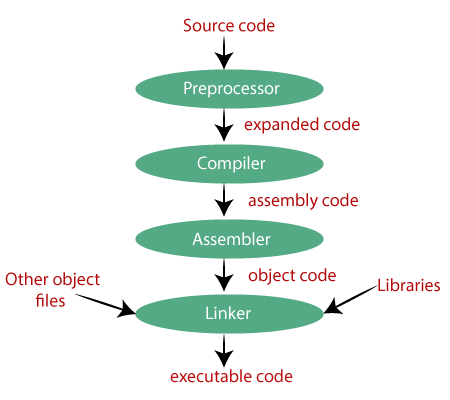
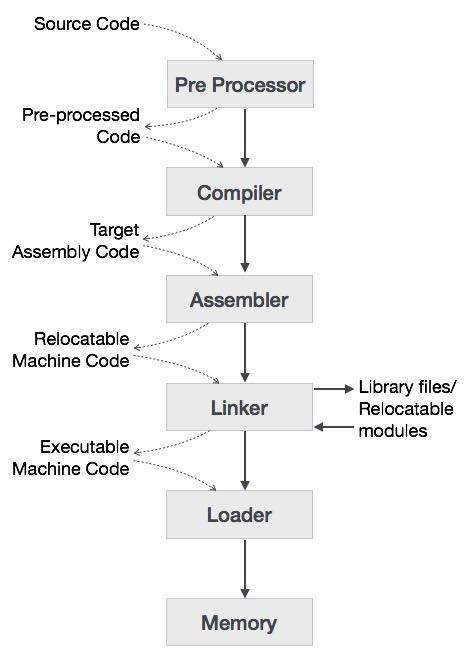
A Compiler is a program that translates the whole program at once from a high-level language into machine language.
Example Languages using Compiler
C
C++
Simple Process
Source Code → Compiler → Machine Code → Output
Advantage
Program runs faster.
Disadvantage
Errors are shown after compiling the whole program.
Interpreter

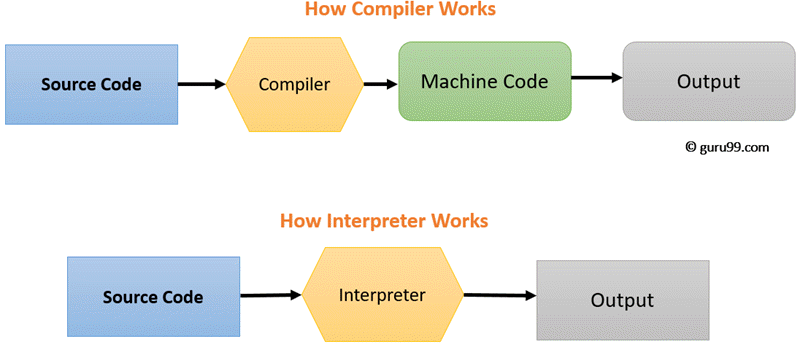
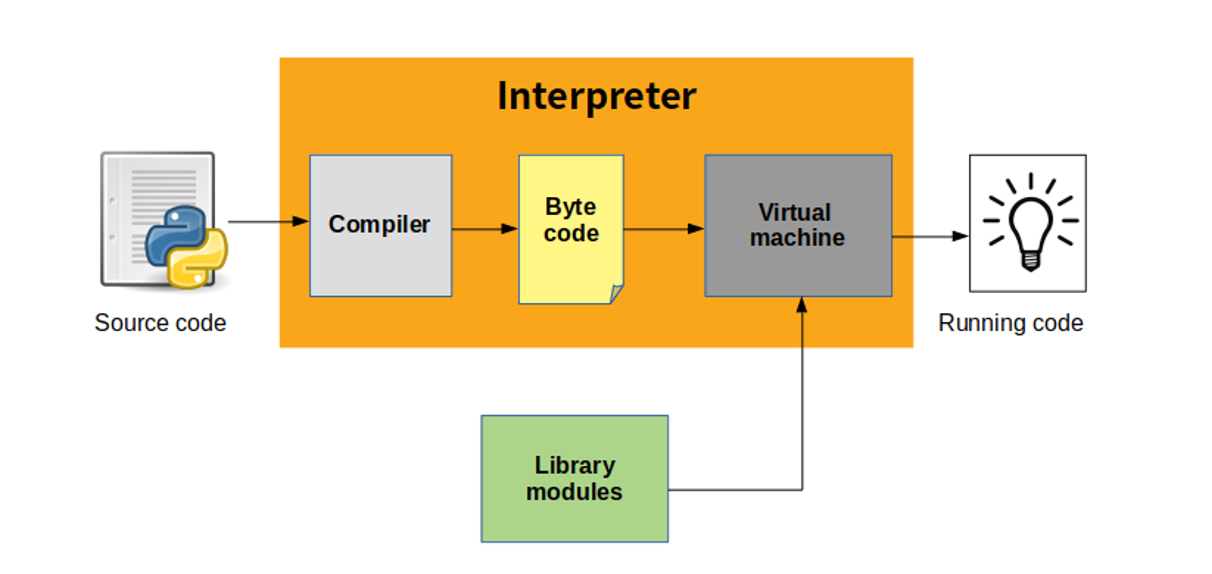
An Interpreter translates the program line by line and executes it immediately.
Example Languages
Python
JavaScript
Simple Process
Source Code → Interpreter → Executes Line by Line
Advantage
Errors are found quickly.
Disadvantage
Program execution is slower.
Difference Between Compiler and Interpreter
| Compiler | Interpreter |
|---|---|
| Translates the whole program at once | Translates line by line |
| Faster execution | Slower execution |
| Errors shown after compilation | Errors shown immediately |
| Example: C, C++ | Example: Python, JavaScript |
✅ Short Summary for Students
Programming Language helps humans communicate with computers.
Machine Language uses 0 and 1.
Assembly Language uses short instructions like ADD and MOV.
High Level Languages like Java and Python are easy to use.
Compiler translates the whole program.
Interpreter translates line by line.
If you want, I can also create a 1-page classroom PDF note with colorful diagrams for Class 6 students (very useful for printing or teaching).
Comments
Post a Comment